
Geometry Dash Subzero

Geometry Dash Subzero
Similar Games



















Game Description
Play Geometry Dash Subzero online for free and jump into a fast rhythm game full of neon lights and icy obstacles. Every jump, dash, and flip is synced to an epic electronic soundtrack, so you need sharp reflexes and good timing to survive.
The levels are tricky but very satisfying. You control a small geometric icon and try to reach the end without crashing into spikes, saw blades, or walls. One mistake sends you back to the start, which makes finishing a level feel like a big victory that players love to chase.
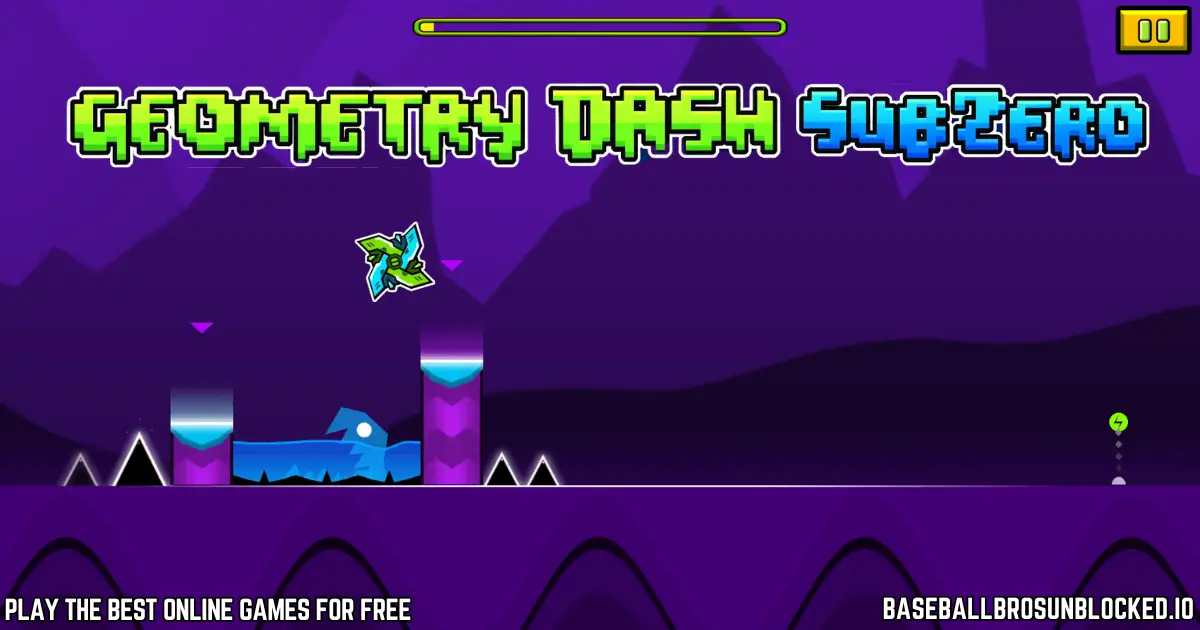
About Geometry Dash Subzero
Geometry Dash Subzero is a free rhythm-based action platformer and a standalone spin-off in the Geometry Dash series. It was created by RobTop Games (developer Robert Topala) as a preview for new effects and mechanics coming to the main game.
The game features three unique, winter-themed levels: Press Start, Nock Em, and Power Trip. Your goal is to guide your icon through each stage by jumping, flying, and flipping past obstacles while staying in sync with the high-energy music.
Gameplay
In Geometry Dash Subzero, your character moves forward automatically. You only control when it jumps or changes height. Each platform, spike, and gap is placed to match the beat, turning every level into a music-driven challenge.
As you progress, you pass through portals that transform your icon into different forms, such as a flying ship, a rolling ball, a wave, or a gravity-flipping spider. Each form has its own movement style, so you must react quickly and learn how they handle. In Normal Mode, a single crash sends you back to the beginning, while Practice Mode lets you place checkpoints to learn hard sections.
Platform
You can play Geometry Dash Subzero directly in your web browser with no download needed. The game runs in HTML5 and works on most modern devices, including PCs, laptops, and Chromebooks.
Open it in an updated browser like Chrome, Firefox, Edge, or Safari and start playing right away. Everything runs online, so you can enjoy Geometry Dash Subzero anywhere you have an internet connection.
How to Play Geometry Dash Subzero Online
Play Geometry Dash Subzero for free on baseballbrosunblocked.io. You can start a run instantly with no signup or installation.
Choose Your Level
When you start the game, you can pick from three levels: Press Start, Nock Em, and Power Trip. All of them are available from the beginning. If you are new, start with Press Start, as it has the lowest difficulty and introduces the main mechanics.
Learn the Rhythm
Your icon moves on its own, so your job is to time each jump in sync with the music and the obstacles. Watch the path ahead and listen to the beat to know when spikes, gaps, and platforms are coming.
Use Practice Mode
If a level feels too hard, switch to Practice Mode. This mode lets you place checkpoints so you do not have to restart from the very beginning every time you crash. It is the best way to learn the layout and master tricky parts before going back to Normal Mode.
Controls
💻 Computer / PC
- Space Press the Spacebar to jump or fly.
- ↑ Use the Up Arrow as an alternative jump key.
- 🖱 Click the Mouse Button to jump or fly.
📱 Mobile / Tablet
- 📱 Tap anywhere on the screen to jump.
- Hold your finger to stay in the air during flying sections.
Tips and Tricks to Master Geometry Dash Subzero
- Start with Press Start : Begin with the first level to learn the timing and basic patterns before moving on to Nock Em and Power Trip.
- Use Practice Mode : Place checkpoints in hard sections so you can repeat them until you master the jumps and transitions.
- Listen to the music : Obstacles are synced to the beat. Let the soundtrack guide your jumps and help you anticipate what comes next.
- Look ahead : Focus a little in front of your icon to see upcoming spikes, gaps, and portals in time to react.
- Stay calm : You will crash many times. Take short breaks if you get frustrated, then come back with a clear mind.
- Learn the patterns : Levels never change. Each attempt teaches you more about the layout, making the next run easier.
- Hunt secret coins : Each level has three hidden coins placed in risky spots. Try to clear the level first, then come back to collect them.
Features of Geometry Dash Subzero
- Three unique levels : Play through Press Start, Nock Em, and Power Trip, each with its own style and difficulty.
- Epic electronic soundtrack : Enjoy powerful music tracks that drive the pace and match every jump and obstacle.
- Simple one-button controls : Easy to learn with a single input, but very hard to master at high speed.
- Multiple character forms : Transform into a cube, ship, ball, wave, robot, or spider, each with different movement rules.
- Practice Mode : Place checkpoints to practice tough sequences without restarting the entire level.
- Secret coins : Find three hidden coins in each level for an extra challenge and full completion.
- Cool camera and visual effects : Dynamic camera movements, flashes, and icy neon themes make every run exciting to watch.
- Browser-based gameplay : Play Geometry Dash Subzero unblocked in your browser with no download or account required.
Geometry Dash Subzero Online
Geometry Dash Subzero is a fast, icy rhythm runner where you jump, fly, and flip through glowing neon levels ❄️. You can Play Geometry Dash Subzero right in your browser with no downloads, no installs, and no sign-ups.
On our site, you get the latest version of this cool spin-off from the Geometry Dash Games series. Many players love trying Geometry Dash Subzero Online, chasing new records, and unlocking every secret without needing an APK or extra files.
Geometry Dash Meltdown
Geometry Dash Meltdown is a fast, music-packed adventure filled with fiery levels, sharp traps, and powerful beats 🔥. Kids love its quick jumps, glowing worlds, and exciting boss-like moments. Each level is synced to the music, so timing your moves feels fun and natural.
If you enjoy rhythm games like Subzero or World, this fiery edition is the perfect warm-up before tackling the harder Geometry Dash Games. Play, practice, and feel the beat guide every jump!
Geometry Dash SubZero PC
Geometry Dash SubZero PC lets you enjoy smooth gameplay, sharp neon visuals, and perfect timing on a bigger screen 💻. Playing on PC makes every jump more precise, especially during Wave and Spider sections.
You can run the game directly in your browser, so there’s no installation needed. Just load the level and start playing instantly. It’s the easiest way to enjoy the full icy experience online.
Geometry Dash SubZero Full Version
The Geometry Dash SubZero Full Version gives you all three icy levels, complete music tracks, secret coins, and every camera effect the game was designed to show. Nothing is locked, and you can explore the entire experience right away.
Kids enjoy this version because it feels complete and polished without needing extra downloads. Beat all three levels, collect every coin, and enjoy the full SubZero adventure ❄️.
Geometry Dash SubZero Scratch
Geometry Dash SubZero Scratch is a fan-made version created by players on Scratch. It’s not official, but kids love trying these remixes because they add fun twists or custom challenges.
These Scratch versions are great for practicing rhythm skills or experimenting with new ideas. If you want the real challenge, though, the official SubZero levels are the best place to start.
Geometry Dash SubZero Free
You can enjoy Geometry Dash SubZero Free without paying anything 😄. The game is completely accessible online with all levels included no hidden costs and no extra purchases.
This makes it perfect for kids and schools. Just click Play and start jumping through icy neon challenges instantly.
An In-Depth Look at All Three Levels
This icy adventure in Geometry Dash Sub Zero has only three levels. Still, they are packed with tricks, surprises, and awesome music 🎧. All levels are unlocked from the start so that you can choose your challenge.
Press Start (Normal 4⭐)
“Press Start” is the best place to begin if you’re new to Geometry Subzero. It teaches jump pads, rings, gravity portals, and simple ship and robot sections at a friendly speed.
The level’s “Press Start Geometry Dash” music keeps the rhythm high while the camera zooms, and short chase scenes make every jump feel exciting.
Nock Em (Hard 6⭐)
“Nock Em” is where Subzero Geometry Dash becomes much tougher. Camera movements are wilder, forms switch by smashing through walls, and the Wave and Spider show up with tricky patterns.
This level is perfect if you want real Geometry Dash Subzero Gameplay, with tight corridors and fast reactions that punish every mistake but feel amazing when you get it right 😎.
Power Trip (Harder 8⭐)
“Power Trip” is the hardest level and a true final exam for unblocked Geometry Dash Subzero pros. It mixes mini portals, mirror effects, and crazy camera moves that can easily confuse new players.
Beating this level on Normal Mode feels like finishing a full game. It’s the ultimate challenge for anyone who loves tough Geometry Dash Games and wants to push their skills to the limit.
Practice Mode vs Normal Mode
In Geometry Dash Sub Zero Online, Normal Mode is where your official progress counts. You must finish the whole level in one clean run without crashing even once.
Practice Mode is your training ground 😊. The game drops green checkpoints, or you place them yourself, so you can replay hard parts again and again without starting from 0%, perfect for learning long waves and spider sections.
All Character Forms and How They Work
During each run, portals change how your character moves. Learning every form is key if you want the full Geometry Dash Subzero Free experience.
- Cube: Your basic form; tap or click to jump over spikes and gaps.
- Ship: Hold to fly up, release to go down; stay calm to glide through narrow spaces.
- Ball: Tapping flips gravity so you roll from floor to ceiling and back again.
- Robot: Similar to the cube, but the longer you hold, the higher you jump.
- Wave: Moves in a sharp zig-zag line; tiny taps keep you safely between obstacles.
- Spider: Instantly teleports from floor to ceiling with each tap, demanding super-fast timing.
Music, Rhythm, and Neon Effects
In Geometry Dash: Subzero, the music isn’t just for fun; it tells you when to jump, fly, or flip. Obstacles move with the beat, so listening closely gives you an advantage.
Each level has its own energetic track, and the neon, icy visuals pulse with the sound. Together, they make every run feel like a mini concert mixed with a speedrun 🎵.
How Subzero Compares to Other Geometry Dash Games
Geometry Dash Subzero Download started as a free teaser for the big 2.2 update in the main game. It focuses on camera tricks, new triggers, and polished levels instead of large amounts of content.
Compared to Meltdown or World, this icy edition is smaller but more advanced visually. It’s a great taste of modern Geometry Dash Games for kids who want something short, intense, and stylish.
Tips for Beating Harder Levels
Break every level into small pieces. Use Practice Mode to train just 10–20% at a time until your fingers know every jump by heart.
Play with sound on, relax, and keep your taps short and precise. Even when you search for “Unblocked Geometry Dash Subzero” or “Geometry Dash Subzero PC,” remember that patience and practice beat any shortcut 💪.
Other Ways People Play
Some players enjoy fan-made versions like Geometry Dash Subzero Scratch or mods built in Geometry Dash Subzero Turbowarp. These aren’t official, but they show how much the community loves the icy theme.
You might also see fun challenges like “Geometry Dash Subzero Skull” or Geometry Dash Subzero IO style remixes. Still, the best place to learn the real patterns is the original game in your browser.
Geometry Dash Subzero Good for Kids
This game is perfect for kids who like tough challenges with no scary content. The colors are bright, the shapes are simple, and the action is clean and fast.
It also teaches patience and focus. Every time you retry a level in Geometry Dash Scratch Subzero style or the official version, you learn a bit more and get closer to victory 😄.
Download Geometry Dash Subzero
If you enjoy playing Geometry Dash Subzero in your browser and want to keep jumping to the beat on the go, the game is also available on Android and iOS. The mobile versions offer the same rhythm-based platforming, tricky obstacles, and neon visuals, fully optimized for touch controls.
Use the official store links below to download the game safely and get the latest updates from the developer.
Game Details
Requirements
Geometry Dash Subzero runs directly in your browser and works smoothly on most modern desktops, laptops, and Chromebooks. For the best experience, use an updated version of Chrome, Firefox, Edge, or Safari.
On mobile, Geometry Dash Subzero runs as a native app on Android and iOS. This version offers smooth performance, precise tap controls, and responsive animations that match the music and obstacles perfectly.
Developer
Geometry Dash Subzero was developed and published by RobTop Games, the studio created by Swedish developer Robert Topala.
The game is a free spin-off of the main Geometry Dash series and was designed as a preview for new visual effects and mechanics, including dynamic camera zooms and new triggers synced to the music.
Category
- Rhythm Games
- Platform Games
- Action Games
Technology
Geometry Dash Subzero is built with the same core engine as Geometry Dash and uses modern HTML5 technology for the web version. This allows the game to run instantly in your browser without extra plugins or downloads.
The combination of lightweight 2D/3D effects, neon visuals, and synced animations keeps the gameplay fast, responsive, and smooth even on mid-range devices.
Release Date
Geometry Dash Subzero was released as a free, stand-alone spin-off on mobile in December 2017. It features three exclusive levels — Press Start, Nock Em, and Power Trip — each with its own music track and difficulty.
The browser version arrived later on various gaming sites, bringing the challenging rhythm-platforming experience to PCs, laptops, and school Chromebooks, making it easy for students and casual players to enjoy the game online.
Wiki Page
Similar Games to Geometry Dash Subzero
If you enjoy fast Rhythm Games Online, tricky Platform Games, and challenging obstacle courses like the Geometry Dash Subzero game, here are some awesome similar games you might like too 🎶⚡:
- 🎶 Geometry Dash
- 🎶 Geometry Dash Lite
- 🎶 Geometry Dash Meltdown
- 🎶 Geometry Dash World
- 🎶 Geometry Dash Online
- 🎶 Electron Dash
- 🎶 Slope
- 🎶 The Impossible Game
You may also enjoy these similar games:
Frequently Asked Questions (FAQ)
❓ What is Geometry Dash Subzero?
Geometry Dash Subzero is a free, stand-alone rhythm-based platformer in the Geometry Dash series. You guide a small shape through three music-synced levels packed with jumps, traps, and fast reactions.
👤 Who created Geometry Dash Subzero?
Geometry Dash Subzero was created by Swedish developer Robert Topala, also known as RobTop Games. He is the same creator behind the original Geometry Dash and its spin-offs.
💰 Is Geometry Dash Subzero free to play online?
Yes, Geometry Dash Subzero is completely free to play online. You can enjoy the full game in your browser and also download the official mobile apps at no cost.
💾 Do I need to download anything to play Geometry Dash Subzero in my browser?
No, you do not need to download anything. The Geometry Dash Subzero online version runs in HTML5, so you can play it instantly in a modern web browser.
💻 What devices can I use to play Geometry Dash Subzero online?
You can play Geometry Dash Subzero on most desktop computers, laptops, and Chromebooks. As long as your device has a modern web browser, you are ready to start.
📱 Can I play Geometry Dash Subzero on my phone or tablet?
Yes, you can play Geometry Dash Subzero on many mobile browsers. There are also official Geometry Dash Subzero apps on the Google Play Store and Apple App Store.
🏫 Can I play Geometry Dash Subzero on a school Chromebook or at school?
Often yes, if your school network allows gaming sites. If Geometry Dash Subzero or other game sites are blocked, you may need to ask a parent, teacher, or IT admin for access.
🎮 How many levels are in Geometry Dash Subzero?
Geometry Dash Subzero has three main levels: “Press Start,” “Nock Em,” and “Power Trip.” Each level has its own style, music track, and difficulty.
⭐ What are the level names and difficulty ratings in Geometry Dash Subzero?
“Press Start” is rated Normal with 4 stars, “Nock Em” is rated Hard with 6 stars, and “Power Trip” is rated Harder with 8 stars. The stars show how challenging each level is.
🔥 What is the hardest level in Geometry Dash Subzero?
“Power Trip” is the hardest Geometry Dash Subzero level. Its 8-star Harder rating and fast patterns make it tough even for experienced Geometry Dash players.
🎯 What is the main goal of Geometry Dash Subzero?
Your goal is to guide your character from the start to the finish of each level without crashing. You must time your jumps and movements to match the rhythm of the music and avoid every obstacle.
🧠 Is Geometry Dash Subzero a hard game?
Yes, Geometry Dash Subzero is known for its high difficulty. It requires precise timing, quick reactions, and plenty of practice to complete all three levels.
🧪 What is Practice Mode in Geometry Dash Subzero?
Practice Mode lets you place automatic checkpoints throughout a level. When you crash, you respawn at the last checkpoint instead of going back to the very beginning.
🔁 What is the difference between Practice Mode and Normal Mode?
In Normal Mode, you must beat the level in one clean run to complete it. In Practice Mode, checkpoints help you learn tricky parts, but those runs do not count as official level completions.
🏁 How do I beat a level in Geometry Dash Subzero?
To beat a level, you must finish it in Normal Mode without crashing a single time. Using Practice Mode to learn patterns and listening carefully to the music can make winning much easier.
💿 Does Geometry Dash Subzero save my progress online?
The browser version of Geometry Dash Subzero usually does not save your progress if you close the tab. In the official mobile apps, you can save progress by creating and using an account.
🪙 Are there secret coins in Geometry Dash Subzero, and what are they for?
Yes, each of the three levels has three hidden secret coins. They are placed in hard-to-reach spots and give extra challenge for players who want full completion.
🌀 What do the portals do in Geometry Dash Subzero?
Portals change the way your character moves. Some portals turn you into a flying ship, others flip gravity, and some switch you between different gameplay modes or speeds.
🧱 What are the different character forms in the game?
In Geometry Dash Subzero, your character can become a cube, ship, ball, wave, or spider. Each form has its own movement style, such as jumping, flying, zig-zagging, or teleporting.
🎨 Can I change my character’s appearance in Geometry Dash Subzero?
Yes, you can unlock and select different icons and colors. This lets you customize how your Geometry Dash Subzero character looks while you play.
🎵 Does the music affect how you play Geometry Dash Subzero?
Yes, the levels are built around the music, and obstacles follow the beat. Listening closely to the rhythm helps you time your jumps and survive longer.
🎧 What kind of music is in Geometry Dash Subzero?
Geometry Dash Subzero features high-energy electronic music. The soundtrack includes songs by artists such as MDK, Bossfight, and BoomKitty.
👪 Is Geometry Dash Subzero good and safe for kids?
Yes, Geometry Dash Subzero is family-friendly, with bright visuals and no inappropriate content. It can be challenging, so younger kids may enjoy short sessions and extra help.
⚖️ How is Geometry Dash Subzero different from the original Geometry Dash and other Geometry Dash games?
Geometry Dash Subzero is a smaller, stand-alone game with three exclusive levels. The full Geometry Dash game has many more levels and a level editor, while each spin-off focuses on its own special content.
🚀 Why was Geometry Dash Subzero released as a stand-alone game?
Geometry Dash Subzero was released to preview new features for the main Geometry Dash game. It shows off advanced camera controls, triggers, and fresh level designs.
📊 Does Geometry Dash Subzero have different difficulty ratings?
Yes, each Geometry Dash Subzero level has a star rating that shows how hard it is. “Press Start” is 4-star Normal, “Nock Em” is 6-star Hard, and “Power Trip” is 8-star Harder.
🔓 How do I unlock the levels in Geometry Dash ?
All three Geometry Dash levels are unlocked from the start. You can play “Press Start,” “Nock Em,” or “Power Trip” in any order you like.
🏆 What happens when I finish a level in Geometry Dash ?
When you complete a level in Normal Mode, the game marks it as finished and records your progress. Then you can try a new level, improve your score, or go back to collect missing secret coins.
Conclusion
Geometry Dash SubZero is a bright, fast, and exciting rhythm adventure that keeps kids smiling and players challenged ❄️. Every jump, flip, and beat pushes your skills a little further, making each run feel fun and rewarding.
Whether you’re trying the game on PC, mobile, or enjoying Geometry Dash SubZero Online for free, the icy neon style and energetic music make every level unforgettable. Even the tough parts become exciting when you finally master the timing and beat your best score.
With only three levels, the game is short, but it never feels small. Its cool camera effects, creative mechanics, and smooth rhythm jumps make it one of the most loved Geometry Dash Games worldwide. Kids enjoy the simple controls, and older players enjoy the challenge.
If you’re looking for a fun, fast, and action-packed rhythm game, Geometry Dash SubZero is the perfect place to start. Jump in, follow the beat, and see how far you can go. Your next perfect run might be just one tap away! 🎵❄️
Geometry Dash Subzero ❄️ Play Online For Free | Dash Games
Play Geometry Dash SubZero online for free! Jump, flip, and follow the beat through icy neon levels. Instant play with no downloads, installs, or logins.
Price Currency: USD
Operating System: Windows, Chrome OS, Linux, MacOS, Android, iOS
Application Category: Game
4.5